
The public can suggest changes to your Business Profile, and Google can change it on its own from other sources. Some suggested edits are held for you to review: you get a notification and four days to accept or reject, after which Google may publish the change anyway if other public information supports it. Changes Google has made appear in blue text in the profile editor. Policy-driven edits can be applied with no review at all.
Suggested edits on your Business Profile exist because the profile is not a page you own in the way a website is. It is a record Google maintains, with your input weighted heavily and other people’s input weighted more than most owners realise.
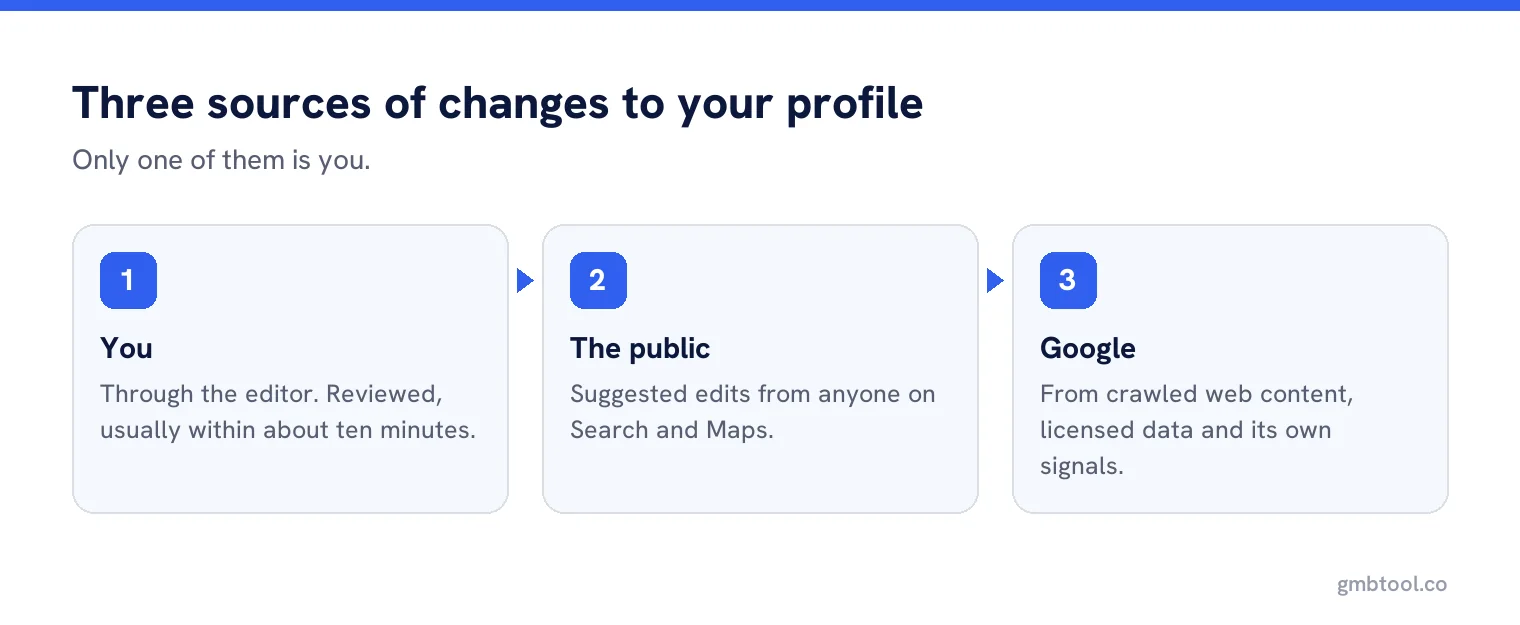
Who can change your profile
- You, through the editor. Your edits are reviewed, and usually appear within about ten minutes.
- The public, through suggested edits on Search and Maps.
- Google, using what it calls reports from various sources, including crawled web content, licensed data and its own signals.
Google’s page on what happens to your edits says your own changes usually take up to ten minutes to review, but can take up to 30 days, and can come back as accepted, pending or not approved.
The four day window
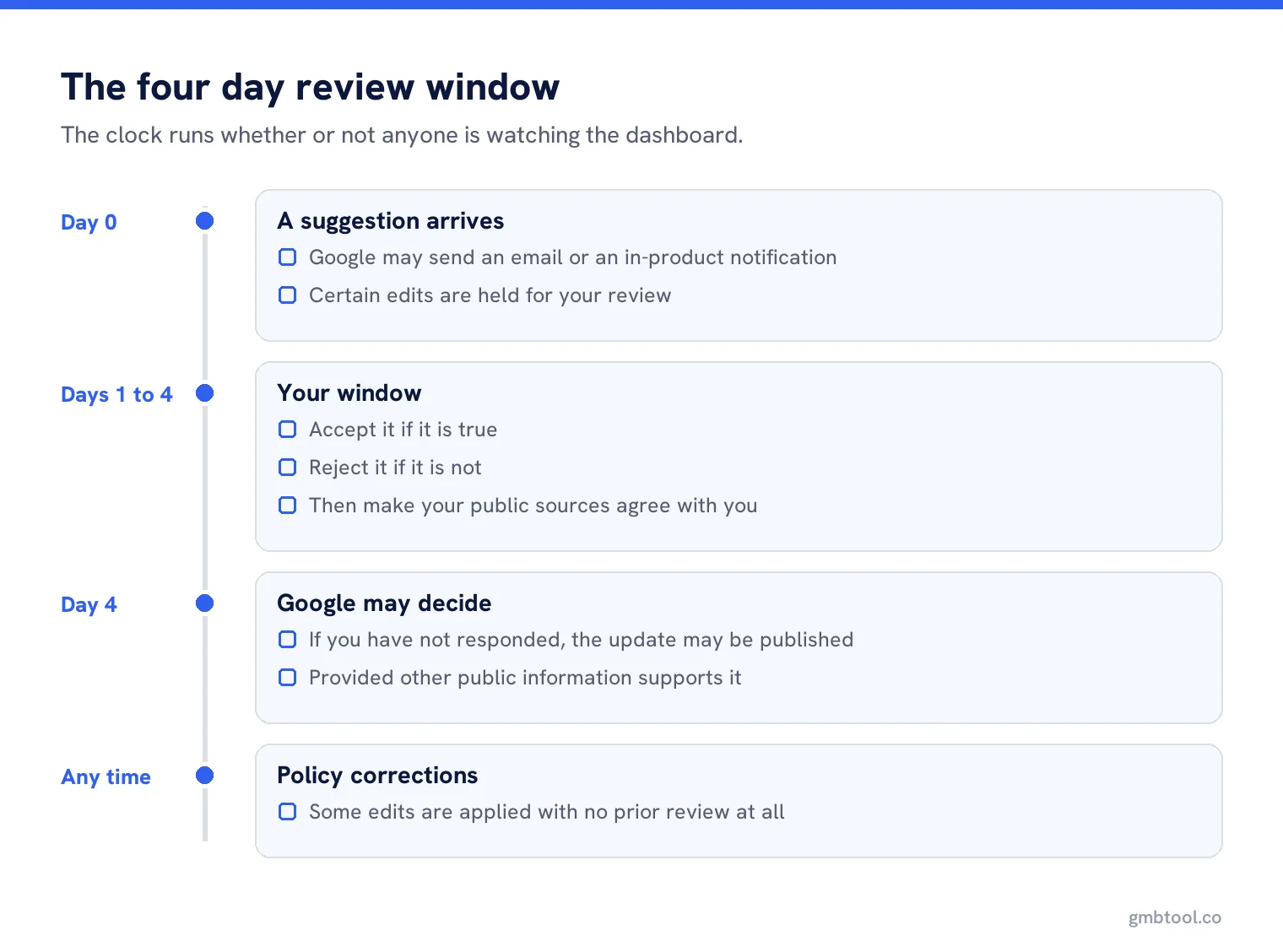
This is the part worth putting in a calendar. The page on Google updates states that when a suggested edit requires your review you may get an email or an in-product notification, and that once notified you have four days to accept or reject the suggestion. If you do not respond in time, Google may publish the update if other publicly available information supports it, such as your own website.
Two consequences follow. First, whoever receives those notifications must be a person who reads them within four days, every week of the year. Second, your website matters more than it looks, because it is one of the sources that can confirm a stranger’s suggestion.
How to spot a change that already happened
Google marks its own changes in the editor with colour: blue text shows information changed by Google, while black or white text means no update from Google. There is also a notification at the top of the page when updates are waiting. That colour code is the single fastest check in a monthly review, and almost nobody knows it exists.
What to do with a suggestion
Check the fact, not the motive
Most suggestions come from customers who found something wrong. A suggestion that your Sunday hours are different is usually a customer who turned up on a Sunday.
Accept it if it is true
Then fix whatever made it wrong in the first place, which is usually your own process.
Reject it if it is not
Within the window, and then make sure your own public sources agree with you, or the same suggestion returns.
Watch for repeats
The same edit suggested repeatedly is either a determined customer or a competitor. Either way it is a signal to look harder.
Edits that need no permission at all
Google is explicit that it may apply suggested user edits without prior review where the edit is needed to meet policy guidelines. In practice this is how a keyword-stuffed name gets trimmed, or a prohibited element is removed, without any conversation. If your name or description changes overnight with no notification, a policy correction is the most likely explanation, and the right response is to check the guidelines rather than to change it back.
When your own edit is not approved
Rejections are usually about accuracy rather than policy. Google says it might not approve changes when it cannot confirm their accuracy, and that you may be able to appeal rejected business information edits. The practical fix is to make the fact verifiable in public: update the website, make sure the phone number appears consistently, and try again rather than resubmitting identical information.
In India and some other places, Google notes that phone numbers are double-checked, with an appeal route for confirming them.
Unverified profiles
If a profile is not verified, some information can still be edited, including name, category, address, hours, phone and website. Everything else needs verification. A business that has never verified is therefore both less able to control its record and more exposed to other people’s suggestions, which is the strongest practical argument for verifying a profile you do not think you need.
Why your website is part of this
Google can publish a suggestion when other publicly available information supports it, and names your own website as an example of that information. So an out of date location page is not merely untidy, it is a vote against your profile. Any time you correct something on the profile, check the same fact on the website in the same sitting, or you have left the evidence that will overturn you sitting in public.
Bulk uploads and pending edits
For multi-location accounts there is one more rule. When updating through a spreadsheet, import before managing Google updates. An unchanged field is ignored, a changed field replaces both the old value and any Google update, and a blank field may trigger an automatic update. That makes an incomplete spreadsheet a way of quietly accepting changes you never saw.
Two cases from the real world
A cafe whose hours kept changing back. The owner rejected the same suggested edit three times. The suggestion was right: the cafe had started closing at four in winter, and a customer kept correcting it. The owner was rejecting an accurate edit because it did not match the hours they intended to keep. The fix was to publish the winter hours properly and set special hours for the seasonal change.
A clinic whose category changed overnight. No notification, no email, just a different primary category one Monday. The likely explanation was a policy-driven correction applied without prior review, and the clinic’s own website supported the new wording. Arguing about it would have taken weeks. Updating the website to describe the service precisely, then setting the category back deliberately, held.
A monthly routine that covers all of it
Five minutes: open the editor, look for blue text, clear any pending notifications, check the name and hours against reality, and note anything you rejected. Repeat suggestions and unexplained changes both show up in that one pass, and it is short enough that it actually happens.
Never miss a four day window
Get alerted when a suggested edit lands or Google changes something, across every profile you manage.
Frequently asked questions
Can anyone edit my Google Business Profile?
The public can suggest edits. Some are held for your review with a four day window, and some policy-driven corrections are applied without any prior review.
How do I know if Google changed my profile?
In the profile editor, blue text marks information changed by Google. Black or white text means no update. A notification also appears at the top of the page.
How long do my own edits take?
Usually about ten minutes, but Google says it can take up to 30 days. Edits show as accepted, pending or not approved.
Why was my edit not approved?
Usually because Google could not confirm its accuracy. Make the fact verifiable in public, such as on your website, before resubmitting the same information.
Can an unverified profile be edited?
Some fields can, including name, category, address, hours, phone and website. Everything else needs verification, which is the main reason to verify.
Sources
The Google documentation behind the guidance on this page. Google changes these pages without notice, so check the date on any figure before you rely on it.